





- No products in the cart.
ATS Resume Templates
ATS-friendly resume templates designed for clear formatting and easy customization.
What Are ATS-Friendly Resume Templates?
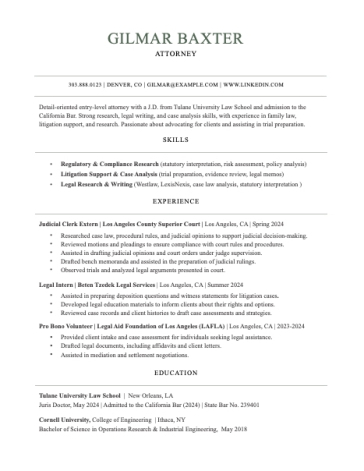
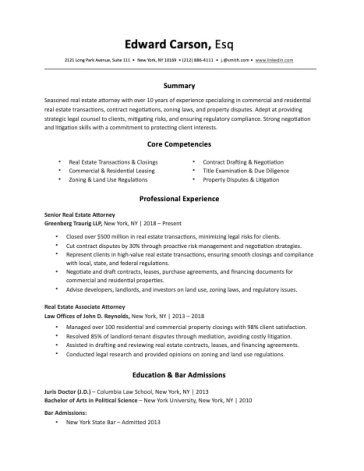
Choose an ATS-friendly resume template designed to keep your experience, skills, and qualifications easy for applicant tracking systems and recruiters to read. Our templates use clear structure, professional typography, consistent spacing, and editable layouts so you can tailor your resume to each job without rebuilding the document from scratch.
Available in Microsoft Word and Apple Pages, these templates give you a practical starting point for online applications, corporate roles, recruiting platforms, and other hiring processes where your resume may be parsed electronically.
What Makes a Resume Template ATS-Friendly?
An ATS-friendly resume template prioritizes readability, predictable structure, and text-based content over complex visual design.
Look for:
- Clear, easy-to-follow layouts with a logical reading order
- Standard section headings such as Summary, Experience, Education, Skills, and Certifications
- Readable professional fonts with consistent sizing
- Consistent dates and job titles throughout the work history
- Simple bullet points rather than decorative symbols
- Editable text instead of information embedded in images
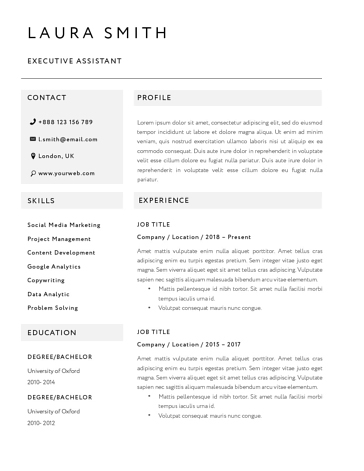
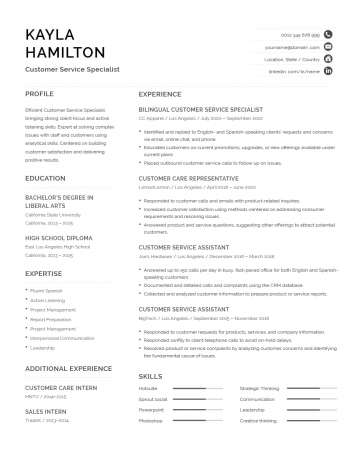
- No unnecessary tables, text boxes, graphics, or sidebars
- Contact information in the main document, rather than relying on headers or footers
Microsoft’s own ATS-friendly templates emphasize clear sections for contact information, work history, skills, and education.
The goal is not to make your resume look plain. A clean template can still look polished and professional while keeping the underlying document easy to process.
ATS Resume Format: What Should the Structure Look Like?
A conventional structure gives both the software and recruiter a predictable way to find the information that matters. A practical ATS-friendly resume format is:
Contact Information → Professional Summary → Work Experience → Skills → Education → Certifications
For most professionals, reverse-chronological experience is the safest format because employers can immediately see your most recent role, responsibilities, and achievements.
Career changers and candidates with non-linear backgrounds may benefit from a hybrid (combination resume) approach that highlights relevant skills while retaining clear employment history.
A purely functional resume can make dates, employers, and job progression harder to interpret. If your career history is important to the application, do not hide it simply to emphasize skills.
How ATS Software Scans Your Resume
Applicant tracking systems are built to collect, parse, organize, search, and rank information from job applications. In 2026, Jobscan detected an ATS at 97.4% of Fortune 500 companies, showing how widespread this technology is across large-employer hiring.
When you upload a resume, the system may extract information such as your contact details, job titles, employment dates, skills, education, certifications, and other job-related terms. Depending on the system and the employer’s setup, this information can then be searched, compared, or used to help rank applications during ATS screening.
That’s why an ATS resume template should prioritize a predictable text structure: clear headings, readable typography, consistent dates, and content that can be extracted without relying on graphics, text boxes, or complicated layouts.
How to Optimize an ATS Resume With Keywords
Formatting is only one part of ATS optimization. Your resume also needs language that accurately reflects the position you are applying for.
Start with the job description and identify:
- Required technical and hard skills
- Job titles and role-specific terminology
- Software, platforms, and tools
- Certifications and qualifications
- Industry terminology
- Responsibilities
- Relevant methodologies
- Measurable requirements or outcomes
Then incorporate the terms that genuinely describe your background into your summary, skills section, and experience bullets.
For example, if a posting specifically asks for “project management,” “Salesforce,” and “stakeholder management,” those exact terms are more useful than replacing them with vague alternatives.
Do not keyword-stuff your resume. A template can help present relevant information clearly, but it cannot compensate for keywords or experience that do not actually match the role.
ATS Resume Templates for Word & Apple Pages
Our ATS resume templates are available in Microsoft Word and Apple Pages, making them easy to edit and customize for different applications.
Choose the template based on the amount of experience and information you need to present—not simply on appearance.
Before downloading or editing a template, check:
- Whether the layout gives you enough space for your experience
- Whether the template uses standard headings
- Whether your contact details remain editable text
- Whether the final document follows the employer’s submission requirements
Keep a master resume containing your complete experience, then create tailored versions for important applications.
When Should You Use an ATS Resume Template?
An ATS-friendly template is particularly useful when you are:
- Applying through a company’s careers website
- Applying to a large organization
- Using an online recruiting platform
- Applying through an external recruitment agency
- Submitting applications at high volume
- Unsure which applicant tracking system the employer uses
It is also a strong default when you want one professional format that works for both electronic processing and human review.
ATS compatibility should not mean sacrificing readability. Recruiters still need to understand your experience quickly once your application reaches them.