ATS-Friendly Resume Format: Templates & Writing Guide (2026)
Creating an ATS-friendly resume format in 2026 is no longer optional — it’s the baseline for getting interviews. After reviewing hundreds of resumes, one pattern is clear: qualified candidates are filtered out because their resumes aren’t optimized for Applicant Tracking Systems (ATS). Before a recruiter ever sees your application, ATS software scans and ranks it based on keyword alignment and formatting clarity.
If your resume isn’t structured correctly, it may never reach human review. This guide shows you how to create an ATS-friendly resume that passes screening software and positions you competitively.
Key Takeaways
To write an ATS-friendly resume in 2026:
- Use a clean, single-column layout in .docx
- Mirror exact keywords from the job description
- Replace duties with quantified achievements
- Use standard section headings
- Avoid graphics, tables, and text boxes
- Tailor your resume for every application
Table of Contents:
- What Is an Applicant Tracking System (ATS)?
- What Is an ATS-Friendly Resume?
- ATS-Friendly Resume Format Explained
- How to Write an ATS-Friendly Resume
- Common Mistakes to Avoid
- ATS-Friendly Resume Templates
What is an applicant tracking system (ATS)?
An Applicant Tracking System (ATS) is software employers use to collect, parse, and rank job applications. It scans resumes for job-specific keywords, skills, job titles, and required qualifications, then organizes candidates based on how closely they match the job description.
The system converts your resume into structured data and assigns a relevance score. Applications that don’t meet keyword or formatting criteria may be filtered out before a recruiter reviews them.
What is an ATS-friendly resume?
An ATS-friendly resume is formatted so hiring software can accurately read and evaluate it. It uses a clean, single-column layout, standard section headings, and includes relevant keywords from the job description.
It avoids graphics, tables, text boxes, and complex formatting that may interfere with resume parsing. An ATS-friendly resume is both machine-readable and clearly aligned with the employer’s requirements.
ATS-friendly resume format explained
An ATS-friendly resume format is built around simplicity, structure, and keyword alignment. Instead of focusing on design or visual elements, it prioritizes how information is organized so both software and recruiters can quickly scan it.
This format typically follows a clean, logical order where your most relevant information is easy to identify at a glance. Sections are clearly separated, and content is written in a straightforward way that supports keyword matching without affecting readability.
How to write an ATS-friendly resume in 2026
Creating an ATS-friendly resume requires understanding how Applicant Tracking Systems process and rank applications. Modern ATS platforms do more than scan for keywords — they parse resume structure, categorize content, and evaluate relevance against the job description. If your resume is not formatted or aligned correctly, it may be filtered out before a recruiter reviews it.
Use the Correct File Format
File format directly affects resume parsing accuracy. While some ATS platforms can read PDFs, .docx remains the most reliable format for structured data extraction. Design-based PDFs and files exported from visual resume builders often create parsing errors. Unless the employer specifically requests a PDF, submitting your ATS-friendly resume in Word format ensures maximum compatibility.
Related: Cover Letter Format: A Step by Step Guide for 2026
Tailor Your Resume to the Job Description
Keyword alignment is the primary ranking factor in Applicant Tracking Systems. The terminology used in the job description must appear naturally throughout your resume, particularly in the professional summary, skills, and work experience sections.
Modern ATS software evaluates contextual relevance, not just keyword frequency. If a role emphasizes project management and team leadership, those exact phrases should appear within measurable accomplishments. Generic phrasing reduces match scores and weakens ranking visibility.
Related: How To Tailor Your Resume To a Job Description [+Examples]
Use Both Acronyms and Full Terminology
Different ATS platforms index language differently. Some prioritize acronyms, while others search for full terminology. Including both versions — such as Search Engine Optimization (SEO) — improves keyword coverage and ensures your resume is recognized regardless of how the system scans terms.
Integrate Job-Specific Keywords Strategically
An ATS-friendly resume does not isolate keywords in a skills list. Required competencies such as data analysis, strategic planning, or budget management should appear within achievement-based statements that demonstrate applied expertise.
Context strengthens credibility. When keywords are supported by measurable outcomes, the system identifies stronger alignment and ranks the application more competitively.
Related: How to Write Resume Job Description in 6 Steps [+ Examples]
Maintain Simple, Machine-Readable Formatting
Complex formatting disrupts resume parsing. Graphics, text boxes, columns, embedded tables, and decorative elements can cause misclassification of critical information. A single-column layout using standard fonts such as Calibri, Arial, or Times New Roman ensures accurate content extraction. Clarity always outperforms creativity in ATS optimization.
Related: 240+ Resume Action Verbs with Examples [2026]
Structure Your Resume for Accurate Parsing
Standard section headings such as Work Experience, Education, and Skills allow the ATS to categorize information correctly. Job titles and company names should be clearly separated from dates to avoid parsing confusion. Achievement-driven statements written concisely improve both keyword density and recruiter readability.
Common mistakes to avoid in an ATS-friendly resume format
Overcomplicated Formatting
Using tables, text boxes, or graphics can prevent ATS from reading your resume. Stick to simple layouts, standard fonts, and clear headings to ensure all content is parsed correctly.
Missing Keywords
Resumes without role-specific keywords are often filtered out. Match your skills and job titles to the language in the job description to increase ATS visibility.
Nonstandard Section Titles
Headings like “My Journey” or “Achievements So Far” confuse ATS software. Use conventional titles: “Work Experience,” “Education,” “Skills,” and “Certifications.”
Lack of Metrics
Generic responsibilities do not stand out. Include quantifiable results, such as percentages, revenue growth, or project outcomes, to show impact.
Unsupported File Types or Fonts
ATS may misread uncommon file types or decorative fonts. Submit DOCX or standard PDF files using readable fonts like Arial, Calibri, or Times New Roman.
ATS-friendly resume templates
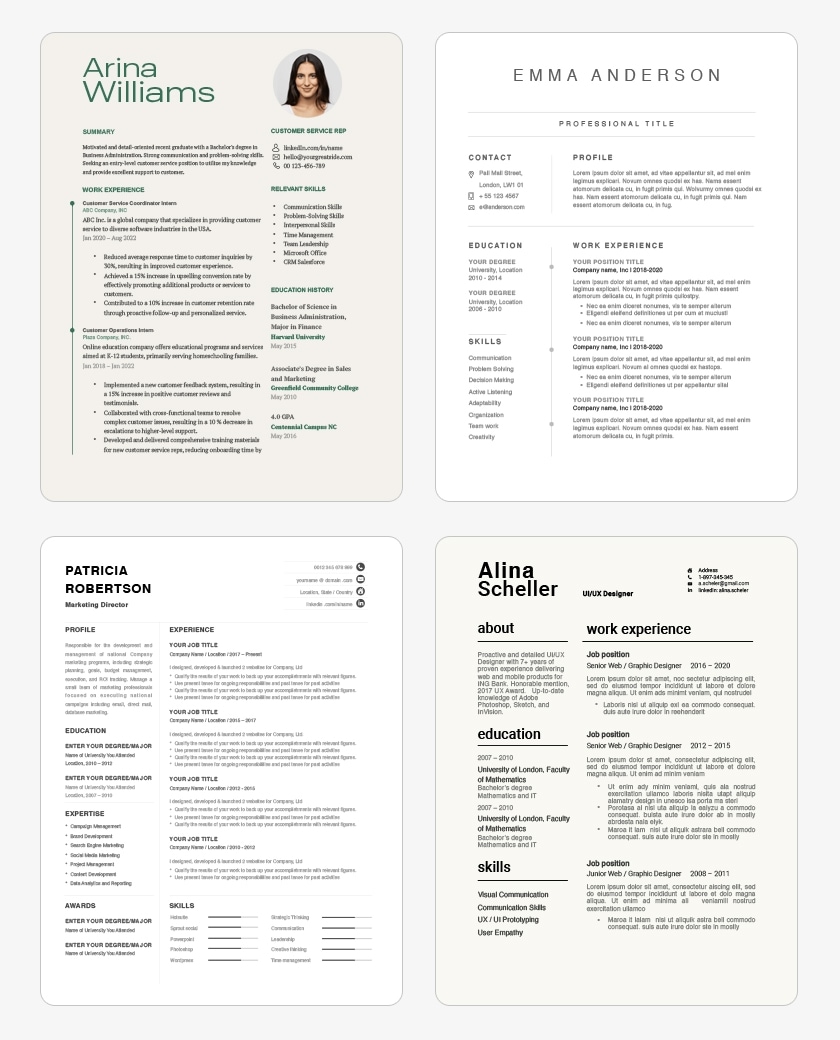
ATS-friendly resume templates help streamline the job application process by ensuring your resume is easy for Applicant Tracking Systems to read. They improve the chances your skills and experience are accurately recognized, reduce formatting errors, and save time creating a professional-looking resume.
Using these templates also encourages clear organization, making your resume more accessible to both automated systems and human recruiters.
Related: 35+ Strengths To List on Your Resume (With Examples)
FAQ: ATS-Friendly Resume Format
How do you create an ATS-friendly resume in 2026?
To create an ATS-friendly resume in 2026, use a simple layout, standard section headings, and include keywords from the job description. Avoid graphics, tables, or unusual fonts that applicant tracking systems may struggle to read.
What is the best ATS resume format?
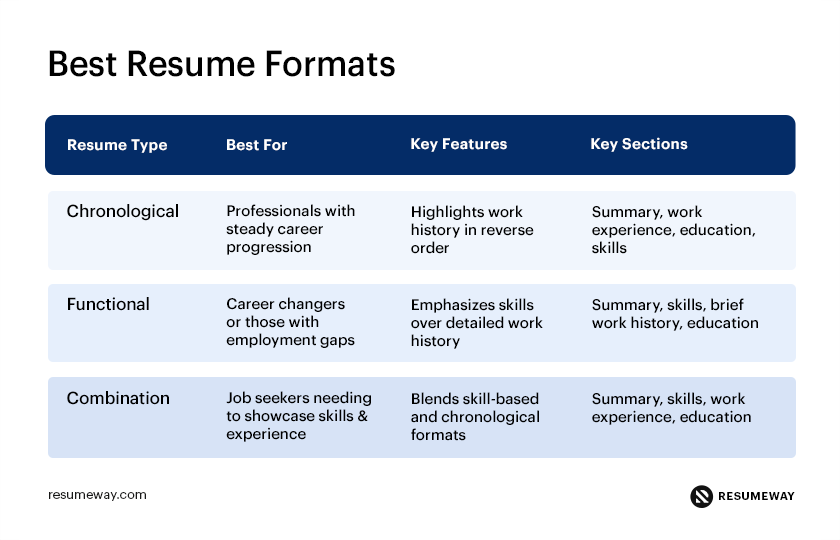
The best ATS resume format is a simple, reverse-chronological or combination layout with clear headings, relevant keywords, and no complex design elements like tables or graphics. It should be easy for ATS software to read and match against job descriptions.
How do you get your resume past ATS systems?
To get your resume past ATS systems, tailor it to the job description, use standard headings, include relevant keywords, and keep the formatting simple. This helps ensure the system correctly identifies your qualifications.
Are PDF resumes ATS-friendly?
Many ATS platforms can read PDFs, but some older systems may struggle with them. When in doubt, submitting your resume as a .DOCX file is often the safest option unless the employer specifically requests a PDF.
Popular related posts:
- How to Choose an Executive Resume Writing Service
- 4 Reasons Why Your Resume is Not Getting Interviews
- Strengths and Weaknesses of Job Interviews [Great Answers]
- Resume Objective in 2021: Writing Tips & Examples
- Best Resume Format for 2026 [Pros and Cons]
 Privacy Protected
Get a Free Expert Resume Review
file here or click to upload
Thank You