Cover Letter Format: A Step by Step Guide for 2026

Most cover letters are rejected before the content is even read — because of poor formatting.
A professional cover letter format is no longer optional in 2026. Recruiters and ATS software scan every job application document in seconds, and if your layout isn’t clean, structured, and easy to read, it can get filtered out during the recruitment screening process — even if you’re fully qualified.
In this guide, you’ll learn the best cover letter format for 2026, including structure, layout tips, formatting best practices, and examples that help your application stand out in today’s hiring workflow.
What is a cover letter format?
A cover letter format is the structured layout used to organize your cover letter content. It typically includes a header, greeting, opening paragraph, body paragraphs, closing paragraph, and signature. This format keeps your letter professional, easy to scan, and aligned with ATS best practices.
Related: How To Write a Cover Letter With No Experience in 9 Steps
Why cover letters still matter in 2026
Career expert Joseph Liu, writing for Forbes, explains that cover letters signal motivation and intentionality: “Hiring managers want to know why you chose them. A tailored cover letter shows intentionality—and intentional candidates stand out.”
In today’s hiring workflow, recruiters often review dozens — sometimes hundreds — of applications per role. A well-structured cover letter helps decision-makers quickly understand your value during the recruitment screening process. When formatted properly, your letter becomes a strategic career branding tool rather than just an optional attachment.
How to format a cover letter: Step-by-step guide
When formatting your cover letter, it’s important to follow a clear structure that includes specific sections. Here is a step-by-step guide on how to format each section:
Step 1: Add a professional header
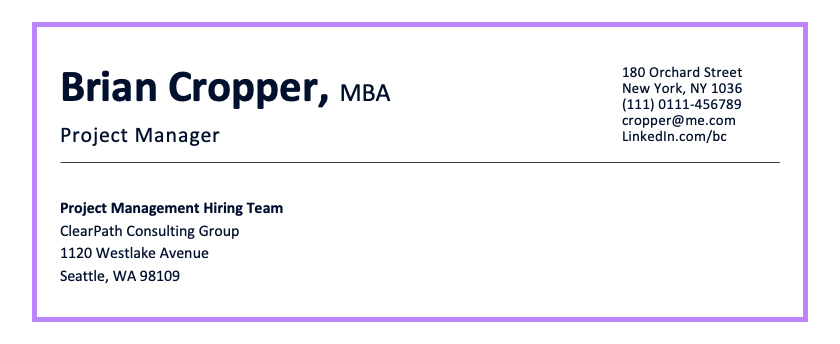
- To create a professional header for your cover letter, include your full name, email address, phone number, and physical address. Additionally, consider including a link to your LinkedIn profile or professional website, if applicable.
- Use a clear and legible font, such as Arial or Times New Roman, with a font size of 10 or 12 points.
Step 2: Use a professional greeting
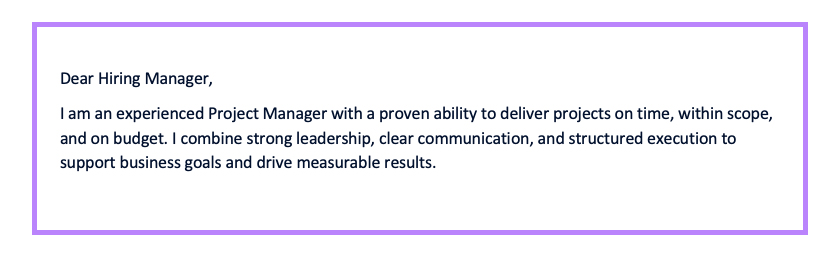
- When starting your cover letter, it’s important to use a professional greeting. Unless you have a personal connection with the hiring manager, begin with a formal “Dear…” followed by their name.
- Addressing the hiring manager by name increases the likelihood of capturing their attention. If you’re unsure about their name, take the initiative to call or email the organization and inquire
Step 3: Hook the reader with your opening
- This section is your chance to hook the reader. A strong cover letter introduction should mention a relevant achievement or align with the company’s mission statement.
- Instead, focus on highlighting your accomplishments, unique qualities, or a specific aspect of the company that resonates with you. Show enthusiasm and express why you are interested in the position.
“Dear Ms. Johnson,
I am writing to express my interest in the Software Developer role at Tech Innovations Inc. As a developer with 5 years of experience in Java and Python, I believe I can bring innovative solutions to your projects.”
Step 4: Pitch yourself in the middle part
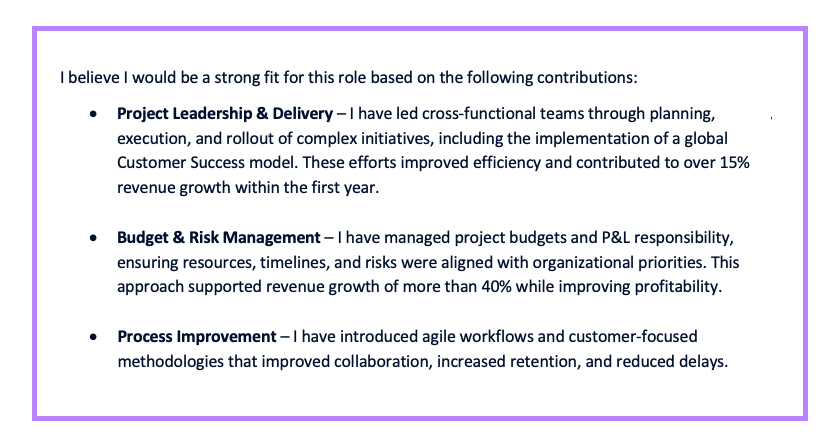
- In this section, highlight your relevant job experience and how it fits the company’s needs. Use measurable results and keywords from the job posting to tailor your pitch.
- Additionally, express why you believe the company is a good fit for you. Discuss your passion for their mission, values, or industry. Show genuine interest in their work and explain how your skills and expertise can contribute to their success. By showcasing your enthusiasm and demonstrating the value you can bring to the company, you will leave a lasting impression on the reader.
Example:
“With a strong background in software development and a passion for creating innovative solutions, I am confident I can make an immediate impact at your organization. Key highlights of my experience include:
- Full-Stack Development: Proficient in developing scalable web applications using JavaScript, React, and Node.js.
- Problem-Solving Skills: Successfully resolved critical issues in high-traffic applications, reducing downtime by 20%.
- Agile Methodologies: Led multiple sprints as part of a Scrum team, delivering features on time and within scope.
- Mentorship and Leadership: Mentored junior developers, fostering a collaborative team environment that improved project delivery speed.”
Step 5: Close with a call to action
- Summarize the most relevant experience or qualification that distinguishes you from other candidates in just a sentence or two. Thank the hiring manager for their time and the opportunity to apply.
- In the closing, it is appropriate to ask about the next steps in the hiring process. This demonstrates your interest and engagement in the position. However, be cautious not to oversell yourself or come across as too pushy. Maintain a professional tone and consider structuring your closing as an offer, expressing.
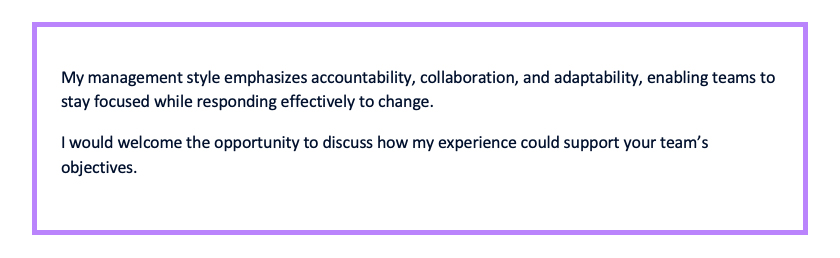
Example:
“Thank you for considering my application for the Software Developer position. I would welcome the opportunity to discuss my qualifications further and explore how I can contribute to your team. Could you please let me know what the next steps are in the recruitment process? I am very interested in moving forward and learning more about your company’s development roadmap.
I look forward to hearing from you soon and appreciate your time and consideration.”
Step 6: Sign off professionally
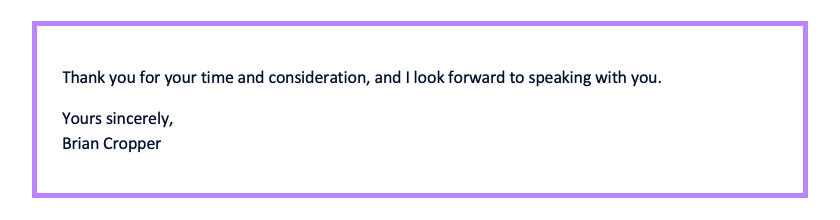
- End your cover letter with a complimentary close, such as “Sincerely” or “Best regards”, followed by your full name.
- If you are submitting a digital copy of your cover letter, you can include a typed signature below your name. If you are printing and signing the cover letter, leave space for your handwritten signature.
Step 7: Save in the right file format
- After crafting your cover letter, it’s crucial to save it in a compatible file format. Opt for a widely accepted format like PDF or Word (.doc or .docx) to ensure compatibility across various devices and systems.
- Saving your cover letter in the appropriate format helps to maintain the formatting, layout, and overall appearance of your document. This ensures that the hiring manager or recruiter can easily open and view your cover letter without any issues.
- Before you hit send, be sure your job application materials, including your customized cover letter, are saved in the correct file format and match the tone of your resume and LinkedIn profile.
Related: How to Make a Resume in 2026 [Step-by-Step Guide]
Top cover letter formatting tips
Cover letter fonts
- Choose a professional, easy-to-read font like Arial, Helvetica, Calibre, Verdana, Lucida Sans or Century Gothic. Stick to a font size of 10–12 points for optimal readability—large enough to read comfortably but not so big that it overwhelms the content.
Structure
- Prioritize clarity when structuring your cover letter. Use a format that highlights your qualifications while leaving enough white space to make the text easy to scan. Organize the content logically and concisely to showcase your skills and experiences effectively.
Submission format
- Follow the employer’s submission guidelines. For email submissions, include a clear subject line stating the position and your name. If printing, use high-quality white or ivory paper.
Proofread
- Always double-check for typos and errors before submitting. While spellcheck can help, it’s best to review your cover letter after a break, read it backward for syntax mistakes, and verify that your contact details are correct. Use tools like:
- Grammarly: A grammar-checking tool that flags mistakes and suggests improvements
- ProWritingAid: Another robust proofreading tool to ensure error-free writing.
Related: Types of Resumes: The Best Formats to Stand Out
Common cover letter mistakes to avoid
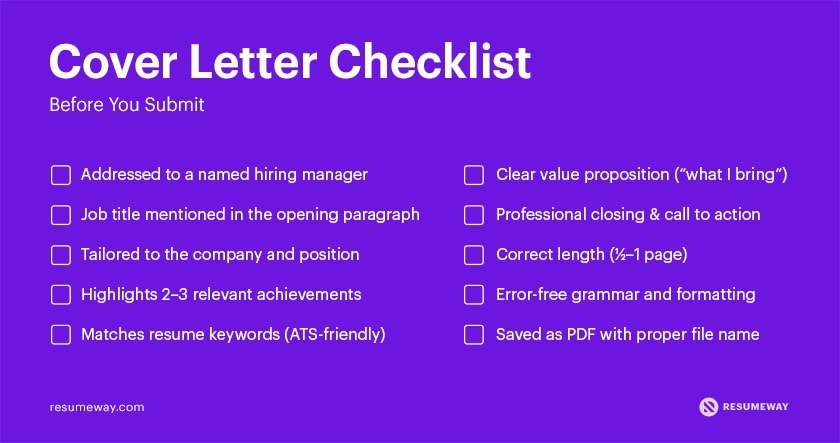
Based on our internal audit, 64% of rejected cover letters were dismissed due to formatting or structural issues. Beyond these, the three most frequent additional mistakes are:
Not tailoring your cover letter to the job
One of the most frequent issues we encounter is generic cover letters that are reused across multiple applications. Recruiters can quickly spot when a letter hasn’t been tailored to the role. To stand out, research the position and company, and clearly connect your skills and experience to their specific requirements.
Not highlighting achievements
Another common mistake we see is listing responsibilities instead of measurable results. Candidates who include concrete achievements—such as performance improvements or outcomes—consistently make a stronger impression and demonstrate real value to employers.
Repeating information from your resume
We often see cover letters that simply restate resume bullet points. Your cover letter should add context, not repetition. Use it to expand on key experiences, explain career moves, or highlight why your background makes you a strong fit for the role.
Professional cover letter format examples
Example #1: Cover Letter Entry-Level Accountant
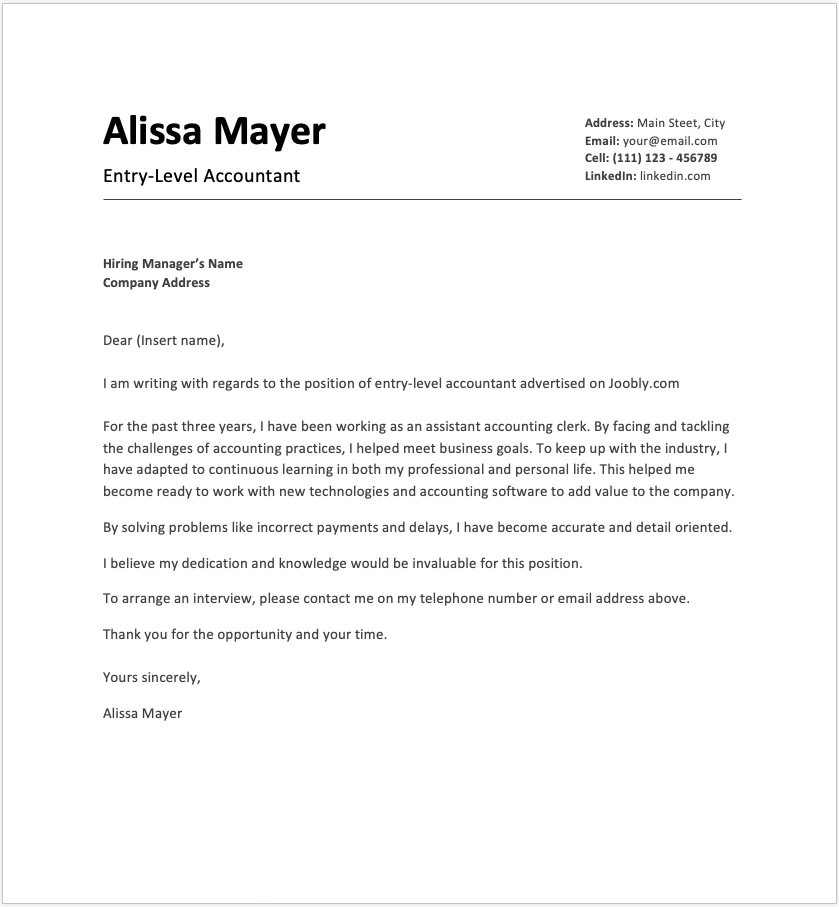
Best for:
Entry-level candidates, recent graduates, and career starters applying for junior or trainee roles.
Example #2: Cover Letter Mid-Level Lecturer
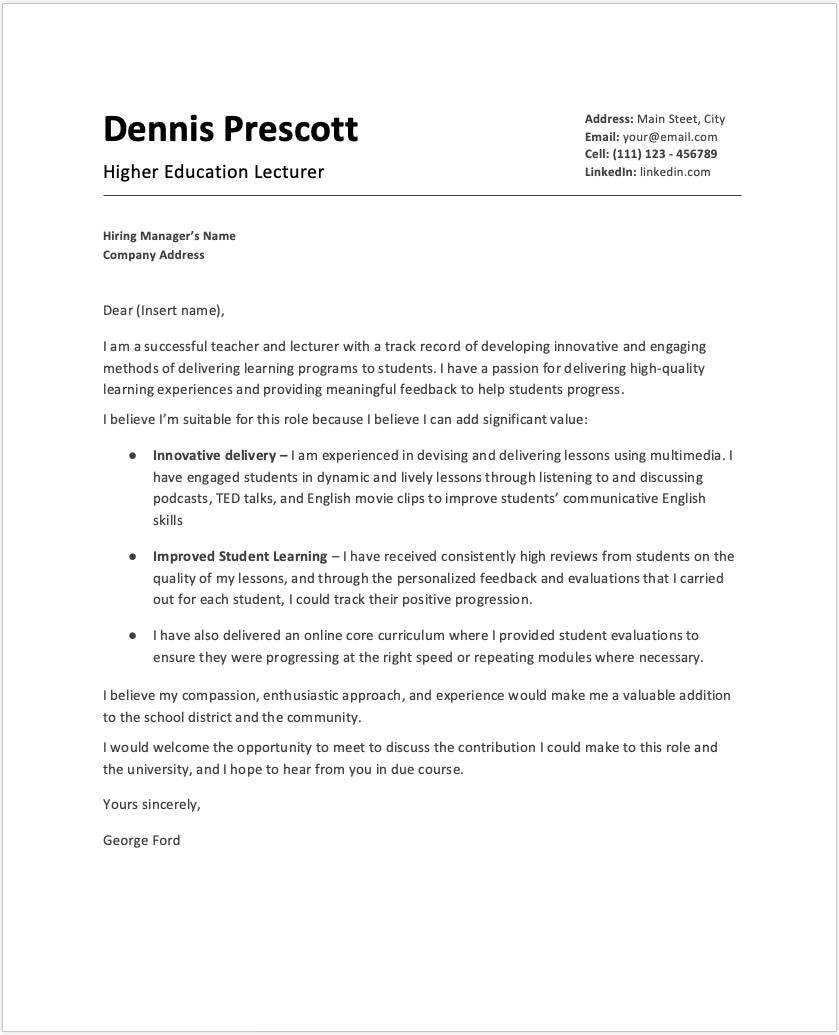
Best for:
Mid-level professionals with hands-on experience seeking academic, teaching, or specialist roles.
Example #3: Cover Letter Senior-Level CEO

Best for:
Senior-level executives, directors, and C-suite leaders applying for high-responsibility leadership roles.
FAQ
What is the best cover letter format in 2026?
The best cover letter format in 2026 is a one-page, ATS-friendly layout with a professional header, personalized greeting, strong opening paragraph, achievement-focused body, concise closing, and formal sign-off. It should be clear, structured, and easy to scan.
Is a cover letter still necessary in 2026?
Yes. A cover letter is still necessary for many competitive, senior, and career-change roles. It explains motivation, adds context to your resume, and helps differentiate your application during the hiring process.
Do recruiters actually read cover letters?
Yes, especially for competitive or senior roles. Recruiters may scan first, but a well-structured, relevant cover letter can influence shortlisting decisions and strengthen your overall job application.
What is the ideal length for a cover letter?
The ideal cover letter length in 2026 is 250–400 words on a single page. Use three to four concise paragraphs focused on relevant achievements and alignment with the job description.
Should a cover letter be single-spaced?
Yes. A cover letter should be single-spaced with a blank line between paragraphs. This improves readability and keeps the document clean and professional.
Should cover letters be justified or left aligned?
Cover letters should be left aligned. Left alignment improves readability, prevents uneven spacing, and maintains a professional appearance across devices and applicant tracking systems.
Popular related posts:
- How To Write a Cover Letter With No Experience in 9 Steps
- 13 Frequently Asked Questions About Cover Letters
- Best Resume Format for 2025 [Pros vs Cons]
- How to Fix Your Resume: Tips Before Applying for a Job [2025]
- Resume Summary Writing Guide: Examples and Tips
- How Long Should a Resume Be in 2026? [for Every Career Stage]
 Privacy Protected
Get a Free Expert Resume Review
file here or click to upload
Thank You